 Haven’t done much in the way of photography recently, but I have been tinkering with my site again!
I put a lot of the code for my websites together myself, either by pinching bits from other places and reverse engineering it to learn how it works and fit it to my own design, or editing existing template code (for example, my glass eye runs on Pixelpost templates).
I also learnt a lot from reading Dan Cederholm‘s two books, Bulletproof Web Design and Web Standards Solutions. They might sound like a dry read but if you’re interested in creating simple, strong, flexible websites using CSS and HTML they’re actually a very good read, the skills you need delivered with humour and clarity and plenty of fully worked-through examples.
I digress!
One thing I came away with more than any other from reading them and putting my sites together bit by bit is getting little personal details right. I’ve always been unsatisfied with the basic 404 error page and the ‘No Flash detected’ error text I had on my portfolio site, so yesterday I had a little fun in Photoshop and made something a bit more personal.
I’m certain hardly anyone will ever see the Flash error image as according to my Mint statistics only 2% of all the visitors I’ve ever had to the site don’t have any form of Flash installed, and I’d bet most of those were me visiting my own site on my iPhone to see how it rendered!
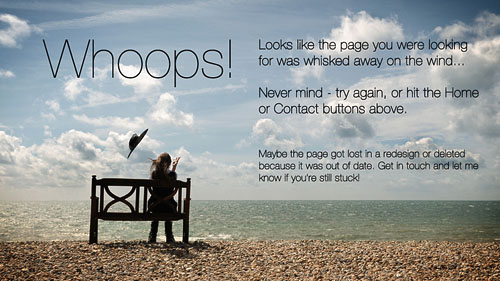 So that leaves the 404 error pages, which you get if you follow a bad link to a page on my site that doesn’t exist any more, or you type in a wrong address or something. I have no idea how often that happens really but all the same I whipped up a 404 page by using the front page as a template and cutting back the navigation to the bare minimum. Then I made some custom 404 images and used some Javascript to randomly call one of the images whenever the page is reloaded.
Which I think is kinda cool in a terribly geeky way. 🙂
If you fancy a peek, here’s a link to a page on my website that doesn’t currently exist and never will, which should generate a friendly 404!

